One source of truth
Manage skills, rules, commands, and agents in a single repository. Update the source, then sync it across your tools.
Your AI coding skills, rules, and workflows, in sync across your entire stack.
npm install -g @raditia/craftkit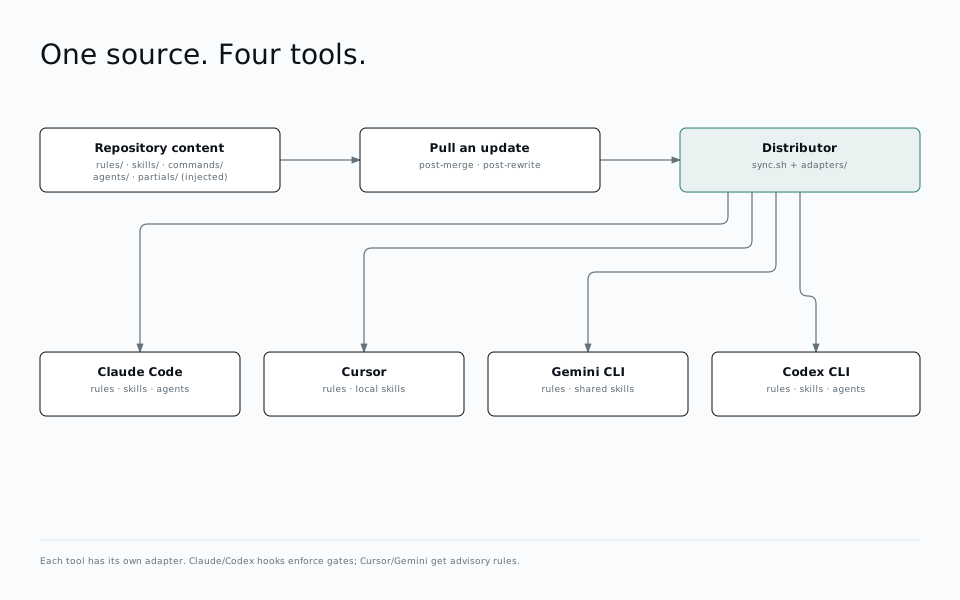
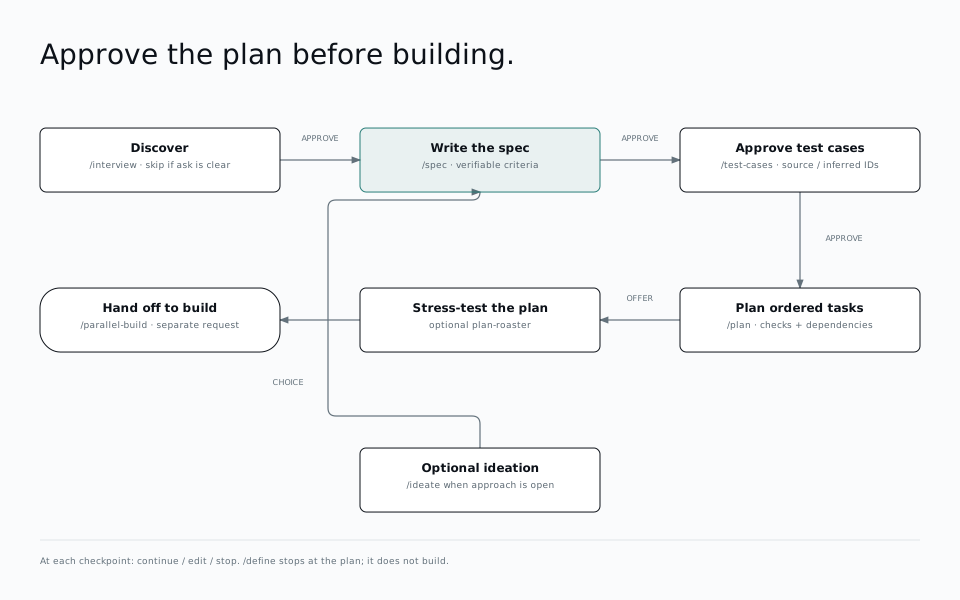
Turn an idea into a clear plan. Move from an interview to a spec, test cases, and an implementation plan before writing code.
Explore the workflow“Help me plan a todo app with sign-in, a database, and tests before we start building.”
One request. Four stages.
“Add a page where I can see my saved items. Show a loading state while they’re being fetched, and a helpful message when I haven’t saved anything yet.”
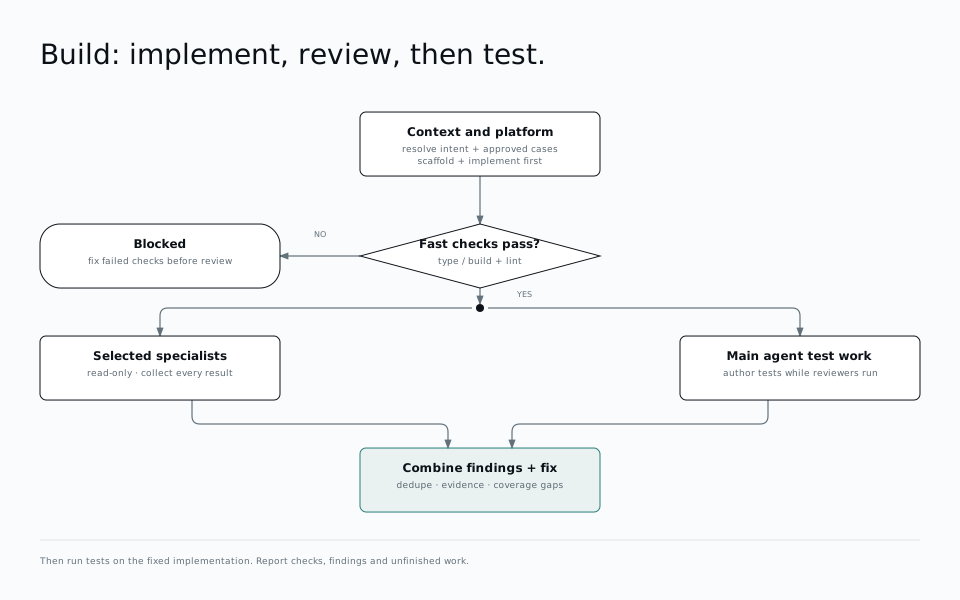
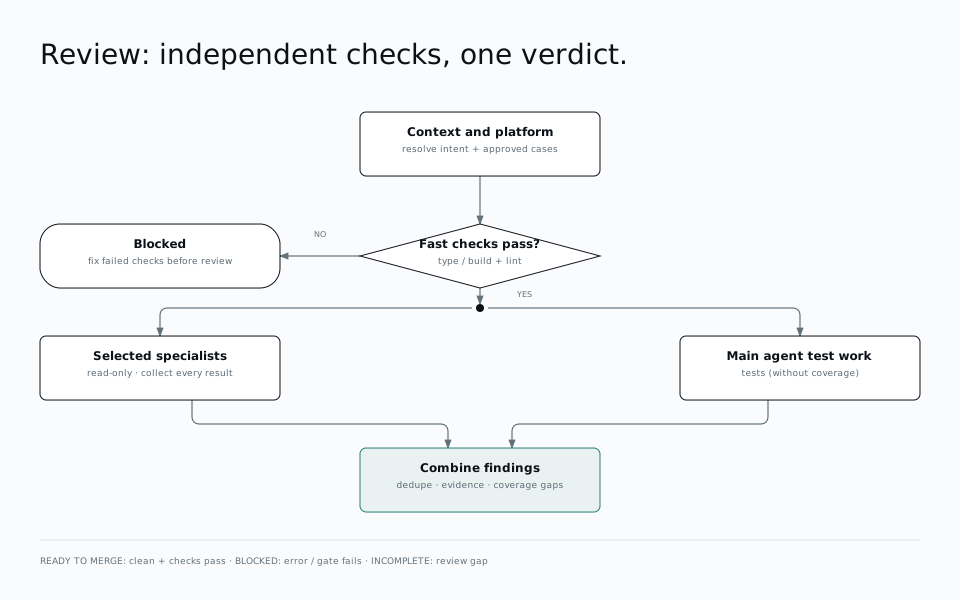
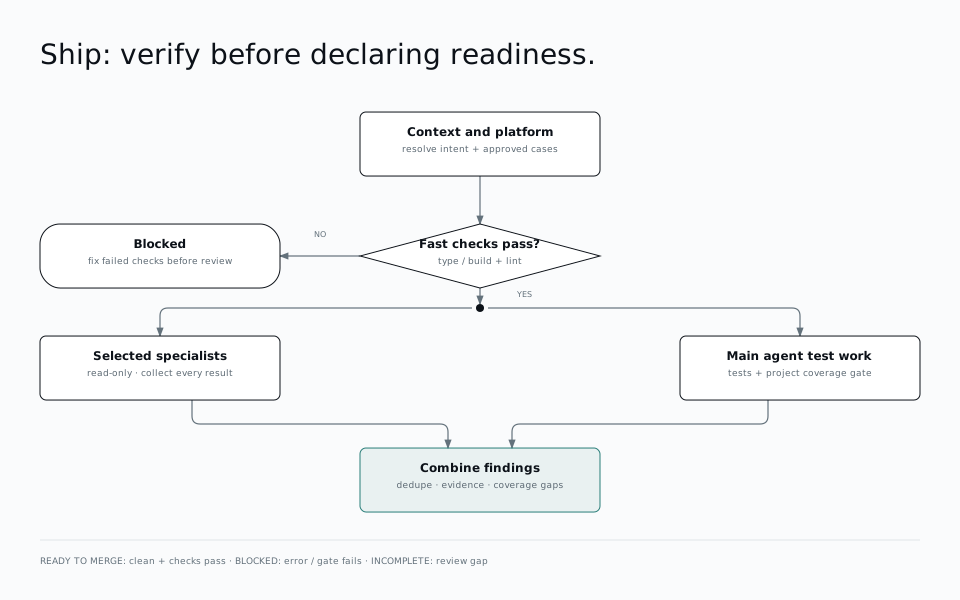
After selecting specialists, the main agent writes tests while subagents review without editing. It then combines the findings, makes fixes, and runs the tests.
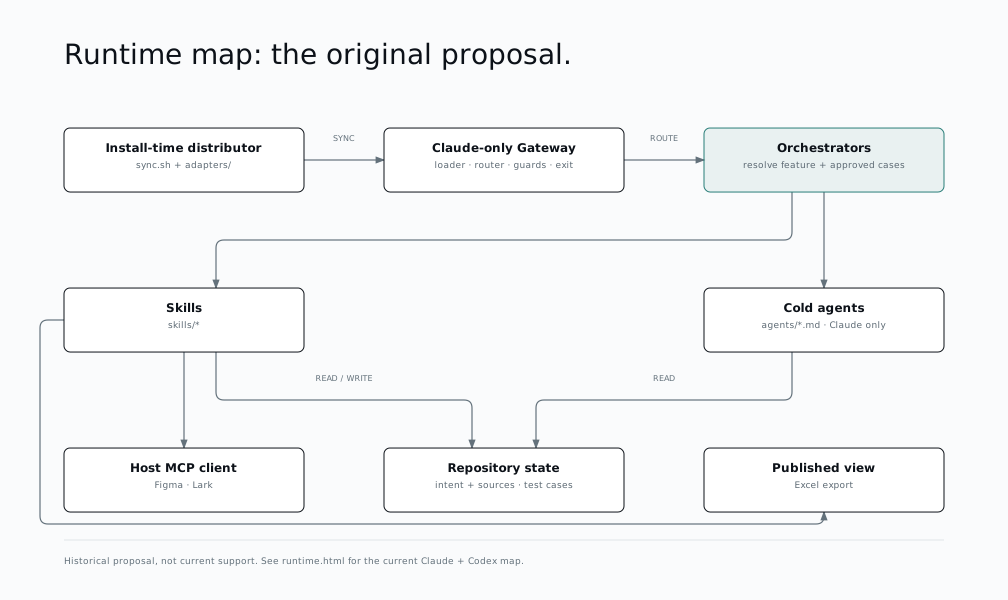
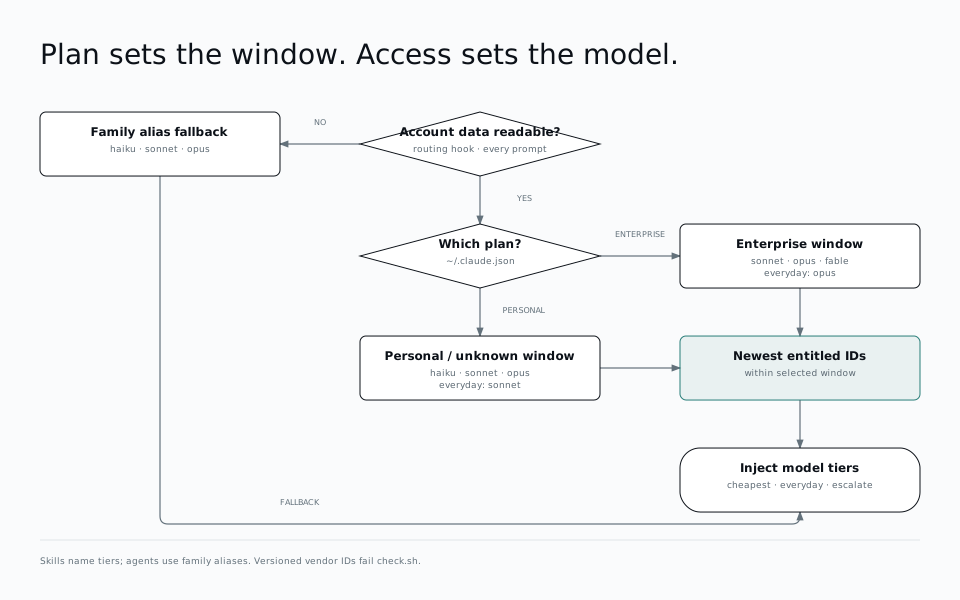
Explore all 16 diagrams. Open a row to see the full figure; on small screens, swipe across it to see every step.
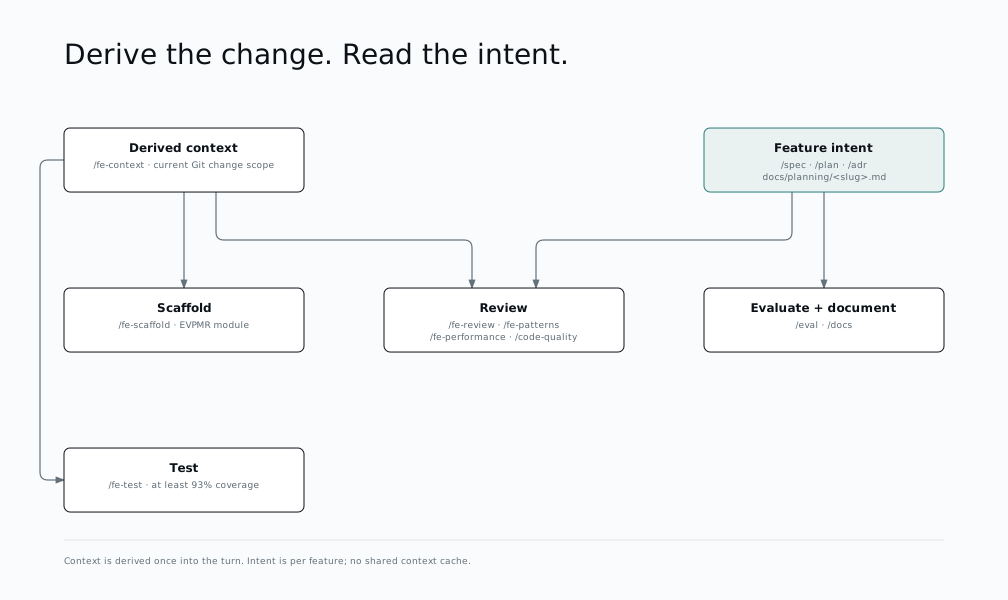
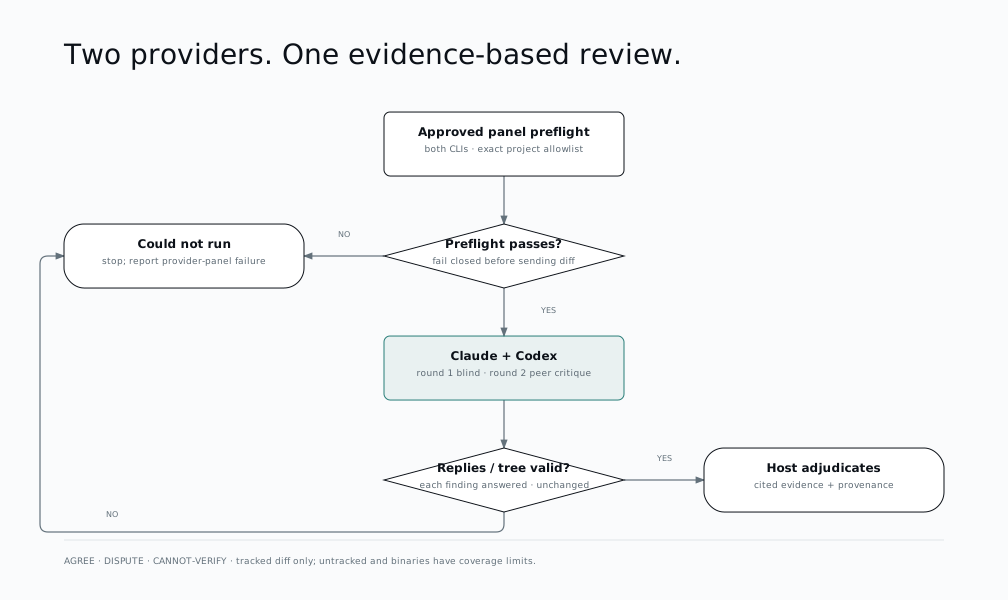
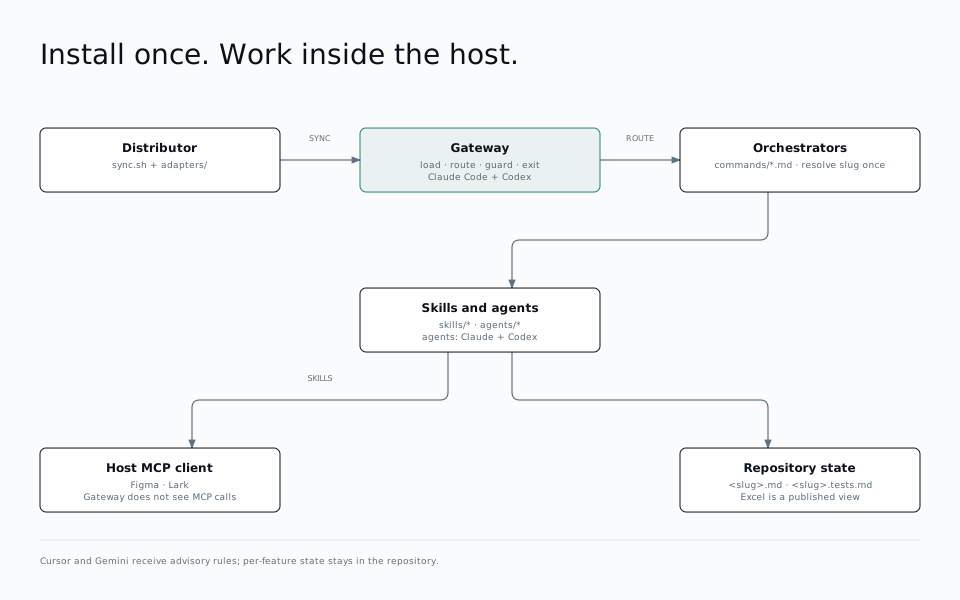
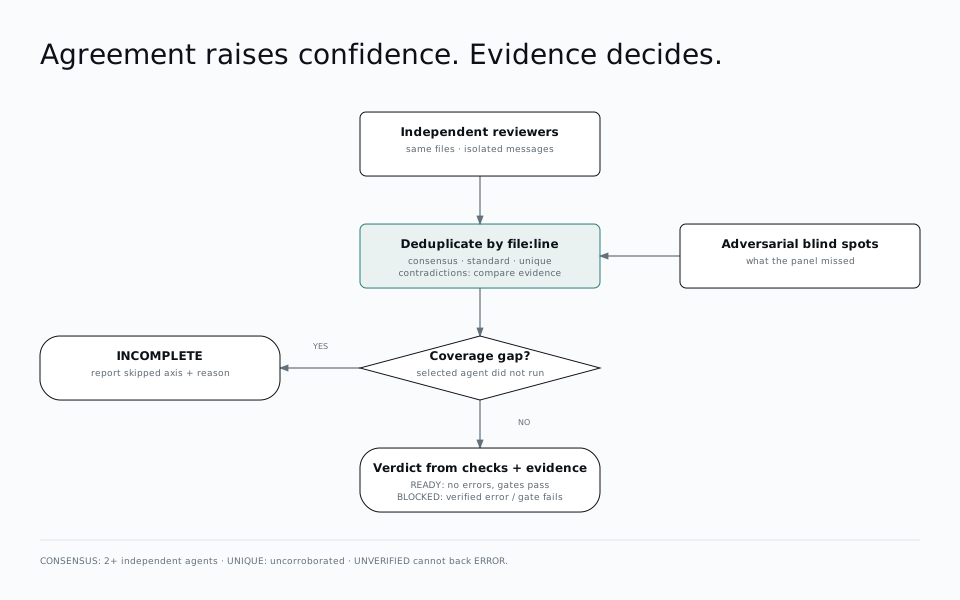
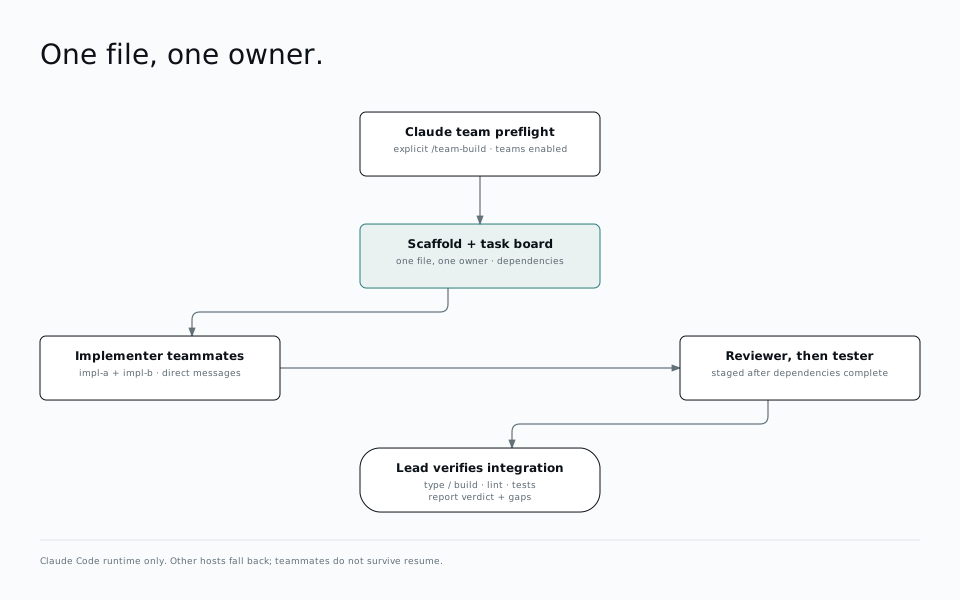
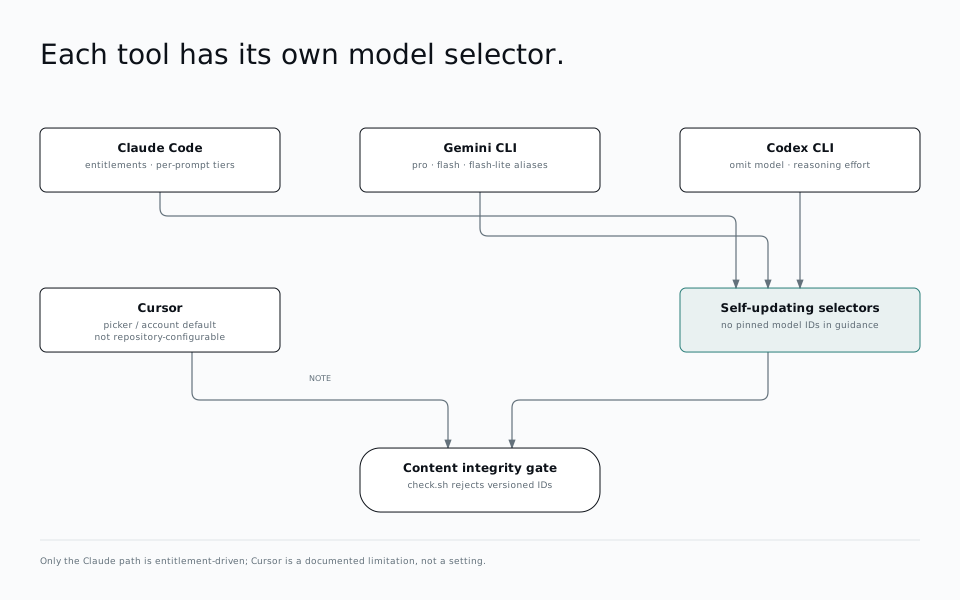
Keep the source in one place. Let CraftKit handle the tool-specific formats.
Manage skills, rules, commands, and agents in a single repository. Update the source, then sync it across your tools.
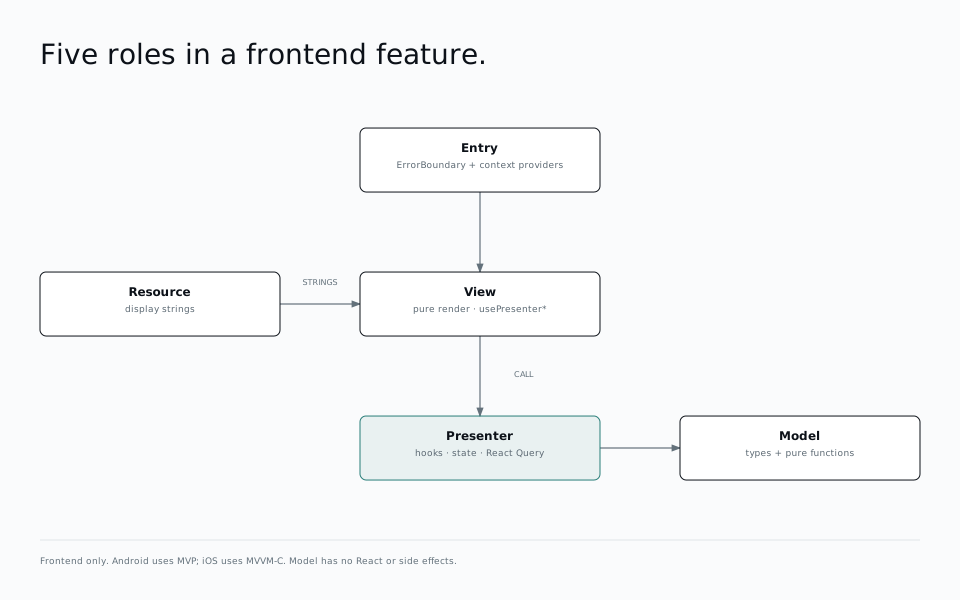
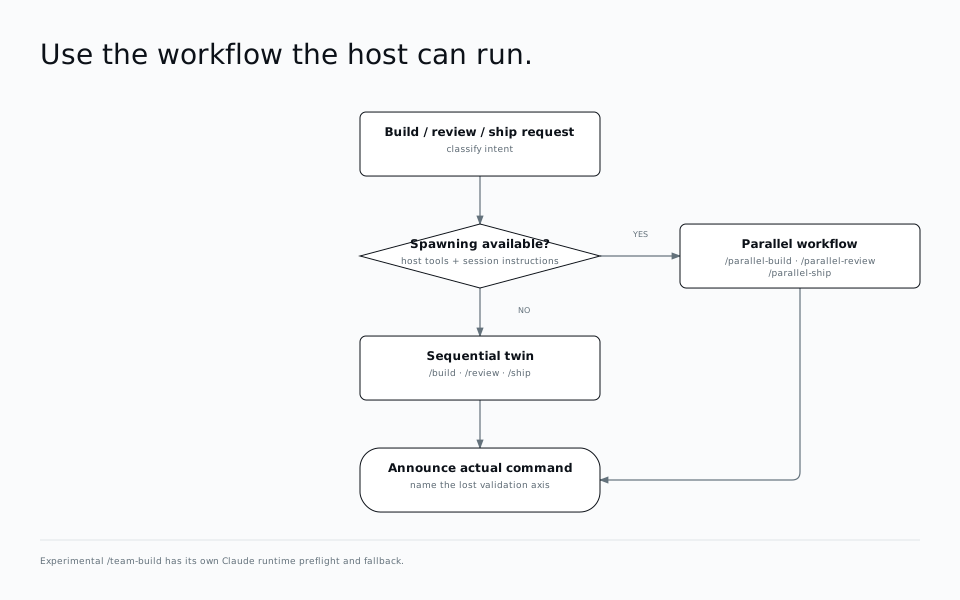
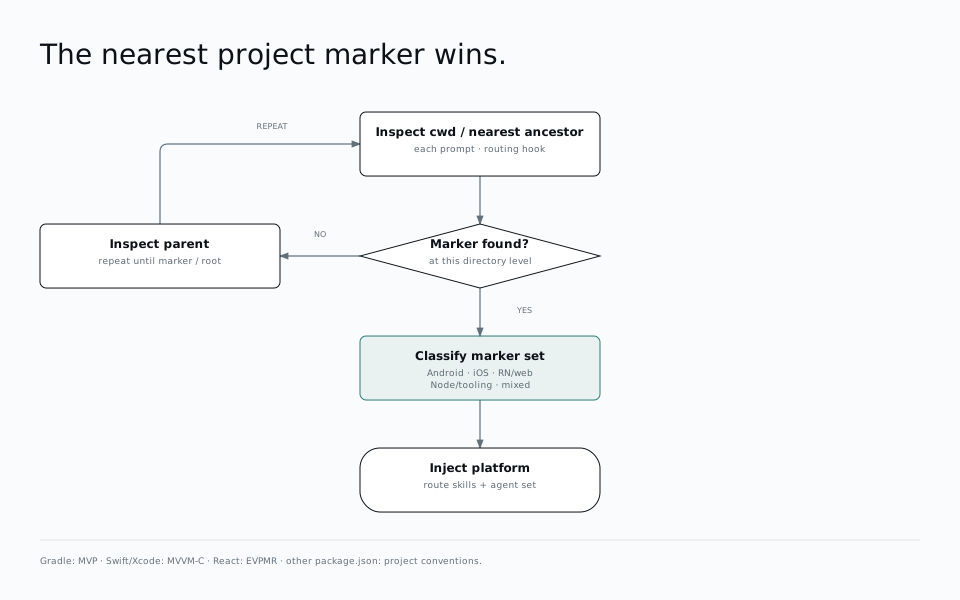
Workflows detect web, React Native, Android, and iOS projects and route work to the relevant specialists.
Git installs use post-merge and post-rewrite hooks. Pull an update to add, refresh, or remove installed skills.
Bring CraftKit to the AI tools you already use.
Read the installation guide